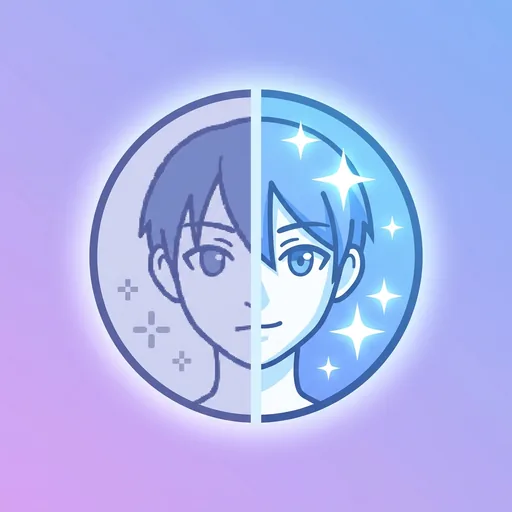
Process up to 200 images per job — pick your settings once, run them all.
General-purpose upscalers smudge anime — they were trained on photos and treat clean line-art like noise. This one was trained on anime and manga: it sharpens lines instead of softening them, and preserves the flat colour cells that make anime look like anime.
Why anime needs its own upscaler
Photographic upscalers (the kind built into our general 4× Upscaler) excel at hair, skin, and natural textures because they were trained on millions of photos. Feed them anime and the trained "what does a sharp edge look like" mental model fights with the source — black ink lines get fuzzed into grey gradients, and flat fills get patterned.
This anime-specific model (a fine-tuned Real-ESRGAN derivative trained on anime/manga datasets) flips that. It preserves crisp linework, keeps cel-shaded fills clean, and resists adding photographic noise. Result: 4× larger images that look like the artist drew at the higher resolution to begin with.
What it's for
- Phone wallpapers from screenshots. Older anime aired at 480p or 720p. Upscale to 4K-friendly resolutions for OLED phone screens.
- Manga panels for prints or zines. Scanned manga at 1200dpi looks sharp here.
- Illustrations from older art tools. Pixel art, MS Paint, low-res digital — all benefit from the line-aware sharpening.
- Restoring downloaded files. Compressed JPGs lose detail; this rebuilds reasonable approximations.
Tips for best results
Source resolution matters. 480p upscaled 4× becomes 1920×1080 — clean. 240p upscaled 4× still looks like 240p with sharper edges. For very low-res sources, run two passes with our Sharpen Image in between.
If the source is manga in greyscale, this works on greyscale natively — no false colours added. For colour anime with watercolour-style backgrounds, edges sharpen but the soft backgrounds stay soft.
Frequently asked questions
What's the upscale factor?
4× by default. So a 480p image (854×480) becomes 1920×1080.
Can I do 8× or higher?
Run twice — output of one pass is input to the next. Returns diminish past 8× total.
Does it work on photos?
Use the photo-trained <a href='/tools/enhance/upscale/'>Upscale tool</a> for photos. This anime model adds artefacts to photographic textures.
Will it 'restore' lost detail?
It synthesises plausible detail — sharper lines, cleaner fills. It doesn't recover information that wasn't in the source.
What inputs are supported?
JPG, PNG, WebP, HEIC. Up to 25 MB; we recommend keeping source under 1024px long edge for fastest processing.
Does it work on manga?
Yes — greyscale manga is in the training set. Lines stay crisp; screentones are preserved.
What about hentai or NSFW content?
We don't filter source content. Standard ToS rules apply on what you upload.
Is there an art-style transfer included?
No — this is upscaling only. For style changes, use our <a href='/tools/ai-generation/style-transfer/'>Style Transfer</a>.
About Anime Image Enhancer
Anime Image Enhancer is a free online tool from Wallpapers.com that runs entirely in your browser — no install, no watermark, no email sign-up for the first try.
Upscale anime, manga and illustrated art with crisp lines.
How to use Anime Image Enhancer
- Drop your image into the upload area (single or batch — toggle Bulk at the top).
- Pick any settings the tool exposes (size, format, quality).
- Click Run. The result downloads automatically — no manual save step.
When to use it
Common use cases include:
prepping images for web upload, e-commerce listings, social media platforms with format constraints, and converting files from one device or app to another.
Free vs Premium
Every visitor gets a free trial run; signed-in free users get a higher daily quota. Subscribe to
Premium
for unlimited runs, bulk processing up to 200 images per job, priority queue, and ad-free browsing.
Related tools
Looking for something slightly different? Try the
AI Image Upscaler
,
AI Photo Enhancer
or
AI Image Sharpener
— or browse all
Enhance tools.