Process up to 200 images per job — pick your settings once, run them all.
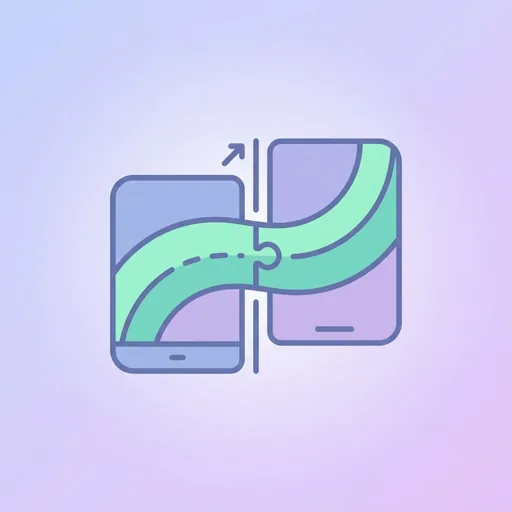
Struggling to get that stunning panoramic photo to span perfectly across your dual-monitor setup? Our Dual Monitor Splitter is the simple solution you need. It effortlessly transforms any single wide image into two perfectly matched halves, creating a seamless, expansive desktop background that brings your workspace to life. No more stretched, distorted, or misaligned wallpapers – just a flawless, immersive view.
How Our Splitter Works
The process is incredibly straightforward. Simply upload your chosen wide-format image, and our tool automatically calculates the exact centre point. With a single click, it splits the image into two separate files: a left half and a right half. These new images are precisely dimensioned to be set as individual wallpapers for your primary and secondary monitors, ensuring they align perfectly at the seam.
Creating the Perfect Dual-Screen Experience
This tool is ideal for anyone looking to elevate their desktop aesthetic. Use it for breathtaking landscape photographs, ultra-wide digital art, or detailed cityscapes. It’s a fantastic way to reduce digital clutter and create a more focused and visually pleasing work environment. By extending a single, cohesive image across both screens, you create a sense of depth and space that a standard wallpaper simply can't match. For those with even more ambitious setups, our multi-monitor-splitter tool can handle three or more screens.
Tips for a Flawless Split
To achieve the best results, follow these simple guidelines:
- Start with High Resolution: The wider and higher the resolution of your source image, the sharper the final result will be on each screen. Check out our curated collection of wallpapers for high-quality options.
- Mind the Centre: Pay attention to the composition of your image. Avoid images where the main subject is directly in the centre, as it will be split. Look for images with balanced compositions or interesting details on both sides.
- Operating System Settings: Once you download your two new images, you'll need to set them manually in your computer's display settings. Assign the 'left' image to your left monitor and the 'right' image to your right monitor.
- Explore More: This tool is just one of many free utilities we offer. Explore our full suite of wallpaper tools to customise your digital space further.
Frequently asked questions
How do I use the dual monitor wallpaper splitter?
Simply upload your wide image, and the tool will automatically split it into two halves. You can then download the left and right images to set as your desktop backgrounds.
Will splitting the wallpaper reduce its quality?
No, the tool does not compress or reduce the quality of your image. It simply divides the original image into two separate files, preserving the original resolution for each half.
What's the best image resolution for a dual monitor wallpaper?
For the best results, use an image with a width that is at least the combined width of your two monitors. For example, for two 1920x1080 monitors, an image that is at least 3840x1080 is ideal.
How do I set a different background on each monitor?
In Windows, right-click the desktop, go to 'Personalise' > 'Background', and right-click an image to assign it to a specific monitor. On macOS, you can set wallpapers for each screen in 'System Settings' > 'Wallpaper'.
Can I use this for a vertical and horizontal monitor setup?
This tool is designed for standard side-by-side horizontal monitor arrangements. It performs a simple vertical split down the centre, which may not be suitable for mixed orientation setups.
Does this tool work for three monitors?
This specific tool is optimised for dual-monitor setups. For configurations with three or more screens, please use our dedicated multi-monitor-splitter tool for the best results.
What image file formats can I upload?
Our tool supports the most common image formats, including JPG, PNG, and WEBP. Ensure your file is one of these types for a successful upload.
About Dual Monitor Split
Dual Monitor Split is a free online tool from Wallpapers.com that runs entirely in your browser — no install, no watermark, no email sign-up for the first try.
Split any wide image into two halves stitched for a dual-monitor setup.
How to use Dual Monitor Split
- Drop your image into the upload area (single or batch — toggle Bulk at the top).
- Pick any settings the tool exposes (size, format, quality).
- Click Run. The result downloads automatically — no manual save step.
When to use it
Common use cases include:
prepping images for web upload, e-commerce listings, social media platforms with format constraints, and converting files from one device or app to another.
Free vs Premium
Every visitor gets a free trial run; signed-in free users get a higher daily quota. Subscribe to
Premium
for unlimited runs, bulk processing up to 200 images per job, priority queue, and ad-free browsing.
Related tools
Looking for something slightly different? Try the
Live Wallpaper Maker
,
iPhone Wallpaper Preview
or
Desktop Wallpaper Preview
— or browse all
Wallpaper-Specific tools.