Process up to 200 images per job — pick your settings once, run them all.
Effortlessly transform your scalable vector graphics into highly optimised WebP images with our free online converter. This tool provides a fast, straightforward way to prepare your vector artwork for the web, ensuring quick loading times without sacrificing visual quality. It's the perfect solution for web designers, developers, and digital marketers who need to balance performance with aesthetics by converting SVG files to a modern, compressed format.
How Our SVG to WebP Converter Works
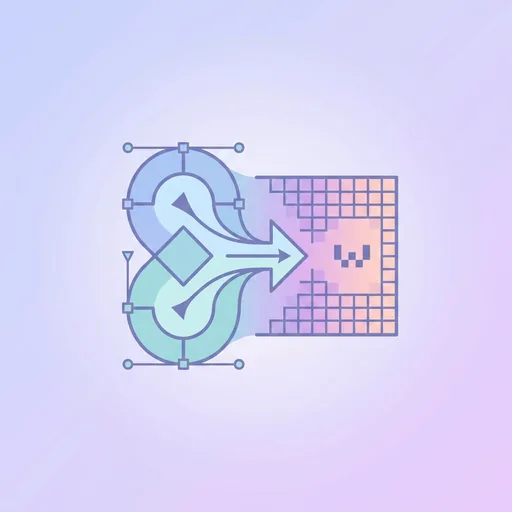
The process is incredibly simple. You upload your SVG file, and our tool instantly gets to work. It carefully renders the vector data—all the paths, shapes, and colours—into a high-resolution, pixel-based image. This rasterised image is then compressed using the powerful WebP algorithm, which is renowned for creating incredibly small file sizes. The result is a crisp WebP image, ready for use on any website. This converter is just one of many powerful utilities you can find in our complete suite of free online tools designed to streamline your workflow.
When to Convert SVG to WebP
While SVG is fantastic for its scalability, it's not always the best choice. Complex SVGs can be demanding for a browser to render, potentially slowing down your site. Converting to WebP is ideal in several scenarios:
- When you need to use a vector logo or icon on a platform that doesn't support SVG, such as certain social media profiles or email clients.
- For complex illustrations where a static, compressed image will load faster than the original vector code.
- To create lightweight hero images, banners, or other website graphics from a master vector design.
- When you want to display a detailed vector drawing as a static picture on your blog or portfolio with the smallest possible file size.
Tips for Optimal Conversion
To get the very best results from your conversion, keep a few things in mind. First, start with a clean and well-structured SVG file. For even better performance, you can prepare your file with our SVG Minifier tool before converting. Second, remember that you are moving from a scalable format to a fixed-size one. Ensure the dimensions or viewport defined in your SVG file match the final size you need for the WebP. Finally, our tool fully preserves transparency, so any transparent background in your SVG will be maintained in the output WebP, making it perfect for web design.
Frequently asked questions
What is the main difference between SVG and WebP?
SVG is a vector format based on XML, meaning it can be scaled to any size without losing quality. WebP is a raster (pixel-based) format, like JPEG or PNG, designed by Google for superior image compression on the web.
Will my SVG lose quality when converted to WebP?
The conversion process, known as rasterisation, renders the vector into a fixed grid of pixels. While the output WebP will be very high quality, it will no longer be infinitely scalable like the source SVG.
Does converting from SVG to WebP preserve transparency?
Yes, our tool fully supports transparency. If your source SVG file has a transparent background, the resulting WebP image will also have a transparent background.
Why should I use WebP instead of PNG for my converted SVG?
WebP generally offers much better compression than PNG, especially for images with transparency. This results in significantly smaller file sizes, which helps your web pages load faster for visitors.
Can I set the output dimensions for the WebP file?
The converter renders the WebP based on the dimensions or viewport defined within the SVG file itself. To control the output size, adjust the artboard or canvas size in your vector editor before uploading.
Is this SVG to WebP converter free to use?
Yes, this tool is completely free. You can convert as many SVG files as you need without any cost or requirement to create an account.
Is it better to use SVG or WebP for a website logo?
For your own website, SVG is often preferred as it scales perfectly on all screens. However, a WebP version is excellent for compatibility with external platforms or as a fallback to improve performance.
About SVG to WebP Converter
SVG to WebP Converter is a free online tool from Wallpapers.com that runs entirely in your browser — no install, no watermark, no email sign-up for the first try.
Convert vector SVG to compressed WebP raster.
How to use SVG to WebP Converter
- Drop your image into the upload area (single or batch — toggle Bulk at the top).
- Pick any settings the tool exposes (size, format, quality).
- Click Run. The result downloads automatically — no manual save step.
When to use it
Common use cases include:
prepping images for web upload, e-commerce listings, social media platforms with format constraints, and converting files from one device or app to another.
Free vs Premium
Every visitor gets a free trial run; signed-in free users get a higher daily quota. Subscribe to
Premium
for unlimited runs, bulk processing up to 200 images per job, priority queue, and ad-free browsing.
Related tools
Looking for something slightly different? Try the
SVG to PNG Converter
,
SVG to JPG Converter
or
SVG to PDF Converter
— or browse all
SVG / Vector tools.