
Wallpapers
Backgrounds
Pictures
Free SVG
Free PNG
Coloring Pages

Photo to Wallpaper Maker

Make a Wallpaper From a Photo (6 Styles, Free)

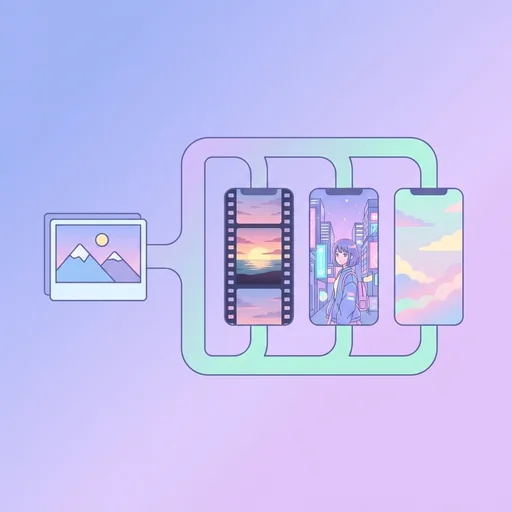
Make a wallpaper from any photo. Upload once, get 6 phone wallpapers back — cinematic, anime, pastel, vintage, neon, monochrome. Free photo to wallpaper converter.

Drop an image or click to upload

Free to try.

Sometimes you have a great photo but don't know which aesthetic suits your phone. Photo to Wallpaper Kit takes one input and produces six finished 1170×2532 phone wallpapers in different artistic directions — pick the one you love, or use the whole set as a rotating wallpaper bundle.

The 6 styles you get

  1. Cinematic — moody colour grade, soft vignette, depth of field.
  2. Anime — cell-shaded, painterly clouds, anime-art rendering.
  3. Pastel — soft palette, dreamlike haze, easy on the eyes.
  4. Vintage — film grain, slight magenta shift, faded blacks.
  5. Neon — saturated cyans + pinks, glow rim lighting.
  6. Monochrome — B&W, high contrast, fine-grain noise.

What works best

Strong single subject (a person, a building, a pet, a landscape). Heavily layered photos work too but the style transfer is more visible when there's a clear focal point.

Frequently asked questions

How long does the full kit take?

About 90 seconds. We run all six styles in parallel.

Can I pick which styles to generate?

Premium users can choose any 3, 6, or 9 styles. Free tier gets a fixed set of 3 (cinematic, anime, pastel).

Can I use this for prints, not just phone wallpapers?

Yes — premium output is 8K-class which prints up to 24×36 inches at 300dpi cleanly.

About Photo to Wallpaper Maker

Photo to Wallpaper Maker is a free online tool from Wallpapers.com that runs entirely in your browser — no install, no watermark, no email sign-up for the first try. Make a wallpaper from any photo. Upload once, get 6 phone wallpapers back — cinematic, anime, pastel, vintage, neon, monochrome. Free photo to wallpaper converter.

How to use Photo to Wallpaper Maker

  1. Drop your image into the upload area (single or batch — toggle Bulk at the top).
  2. Pick any settings the tool exposes (size, format, quality).
  3. Click Run. The result downloads automatically — no manual save step.

When to use it

Common use cases include: prepping images for web upload, e-commerce listings, social media platforms with format constraints, and converting files from one device or app to another.

Free vs Premium

Every visitor gets a free trial run; signed-in free users get a higher daily quota. Subscribe to Premium for unlimited runs, bulk processing up to 200 images per job, priority queue, and ad-free browsing.

Related tools

Looking for something slightly different? Try the Face Swap , AI Photo Editor or AI Background Generator — or browse all AI Generation tools.


Premium

Unlock every tool — no caps, no waits

  • ✓ 200 AI credits / month — image gen, upscale, inpaint
  • ✓ Bulk batch processing (up to 200 files at once)
  • ✓ 8K downloads + ad-free browsing
  • ✓ Priority queue — no rate limits
Try Free for 7 Days →
live
Make wallpapers
with AI.
Try



