
Best Live Wallpapers for iPhone in 2026 — Curated by Aesthetic
The 40 most-set live wallpapers on Wallpapers.com, sorted by aesthetic.
The hardest part of picking a live wallpaper for iPhone isn't the image — it's the motion. A great still image can become an annoying live wallpaper if the parallax doesn't suit it, and a so-so still image can come alive (literally) with the right depth animation. Below are 42 of the most-set live wallpapers on Wallpapers.com, grouped by aesthetic, with notes on the motion character that suits each style.

Click any pick to open its detail page, then hit Make Live Wallpaper to generate the parallax + iOS Live Photo bundle.
Anime live wallpapers
Anime art has clear foreground/background separation (subject in front, painterly sky behind) which makes it perfect for parallax. Pick rim-lit characters against painterly skies — the depth model has the easiest time on these.
 A Group of Beloved Naruto Characters
 Naruto and Hinata Share a Tender Moment
 Naruto in Sage Mode!
 Naruto Uzumaki In Vintage Drawing
 Embracing the Pastel Palette of Sunset at the Beach
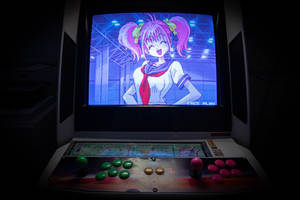 Enchanting Anime Character in Vibrant Colors
 Abstract Brown Blue Swirls Aesthetic Tablet
Cottagecore + dark academia
Both aesthetics share a moody, slightly faded colour grade and benefit from extremely subtle motion — a 1% drift on a stone-cottage shot reads as "the world is breathing" rather than "this image is animated".
 Cottagecore Picnic Vintage Aesthetic
 Cottagecore Picnic Fruit Basket
 Aesthetic Cottagecore Sunrise
 Aesthetic Cottagecore Collage
 Cozy Reading Timewith Coffeeand Snacks.jpg
 Cozy Aesthetic Moment
 Cozy Readingand Writing Setup
Y2K + retro chrome
Y2K aesthetics work great as live wallpapers because they were designed for motion in the first place — chrome lettering, holographic gradients, warping spirals.
 Sunset Cliffside Ocean View
 Chrome Swirl Artwork
 Abstract Chrome Symmetry Art
 Retro Futuristic_ Chrome_ Collage
 Abstract gradient of rainbow colors
 Mobile Rainbow Fantasy Art
 A Multicolored Galaxy Representation
Neon city + cyberpunk
This is the easiest category — neon city skylines are built for parallax. Multiple depth layers, strong horizontal subject placement, and high contrast between near + far make the depth model's job easy.
 "The Cyberpunk Revolution Begins"
 "Armored warrior wielding a sword in a cyberpunk world"
 Welcome to the Cyberpunk World
 Cyberpunk Futuristic Skull Under The Water
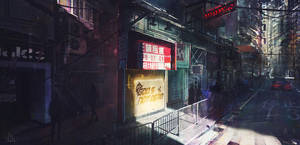 Cyberpunk City Rainy Streets
 Cyberpunk City Cyan Building
 Cyberpunk City Grey Scale
Nature with strong foregrounds
Landscapes need a clear foreground subject for parallax to feel grounded. Pure sky-and-mountain shots end up as slow zooms rather than parallax — still nice, but less wow-factor.
 Relaxing on a tropical beach, feeling the summer sun
 "The Perfect Getaway!"
 Stillness at Night on Rocky Beach
 Rocky Cliff and Sandy Beach
 White Cherry Blossom Branch
 Young Cherry Blossoms
 Big Leaf White Cherry Blossom
Abstract + gradient
Pure abstract gradients become hypnotic as live wallpapers — there's no "correct" depth so the parallax becomes a fluid wash of colour. Pick anything with high contrast and you're set.
 A multilayered field of vibrant purple lines
 Create bold designs with multicoloured abstract lines
 Bright Multicolored Abstraction
 Abstract Glowing Rectangles
 Aesthetic Raindrops Gradient
 Green And Red Gradient
 Polygonal Gradient Graphic
How to set one as your iPhone live wallpaper
For each of the wallpapers above, click Make Live Wallpaper on the detail page. We render a 4-second parallax loop in ~90 seconds and deliver an iOS Live Photo bundle (HEIC + MOV). AirDrop to your phone, then Settings → Wallpaper → Add New Wallpaper → Photos → pick the Live Photo → make sure the Live toggle is on.
Full installation walkthrough: How to Make a Live Wallpaper.
One thing to watch for
Live Photos take up more storage than still images — about 2.5 MB per wallpaper. If you set 10 different live wallpapers as your lock screen rotation, that's 25 MB. Trivial for a modern iPhone, but if you're on a 64 GB 6s with a packed camera roll, delete old wallpaper Live Photos you no longer use.





