










Wallpapers
Backgrounds
Pictures
Free SVG
Free PNG
Coloring Pages

Wallpapers | Free 4K, HD & Mobile Wallpapers

Free HD, 4K and 8K wallpapers for desktop, mobile, tablet and dual monitors — curated across thousands of categories so you always find one that fits your screen. Browse the wallpaper archive or start with popular wallpapers. Download in seconds, no sign-up, no watermark, no limits.

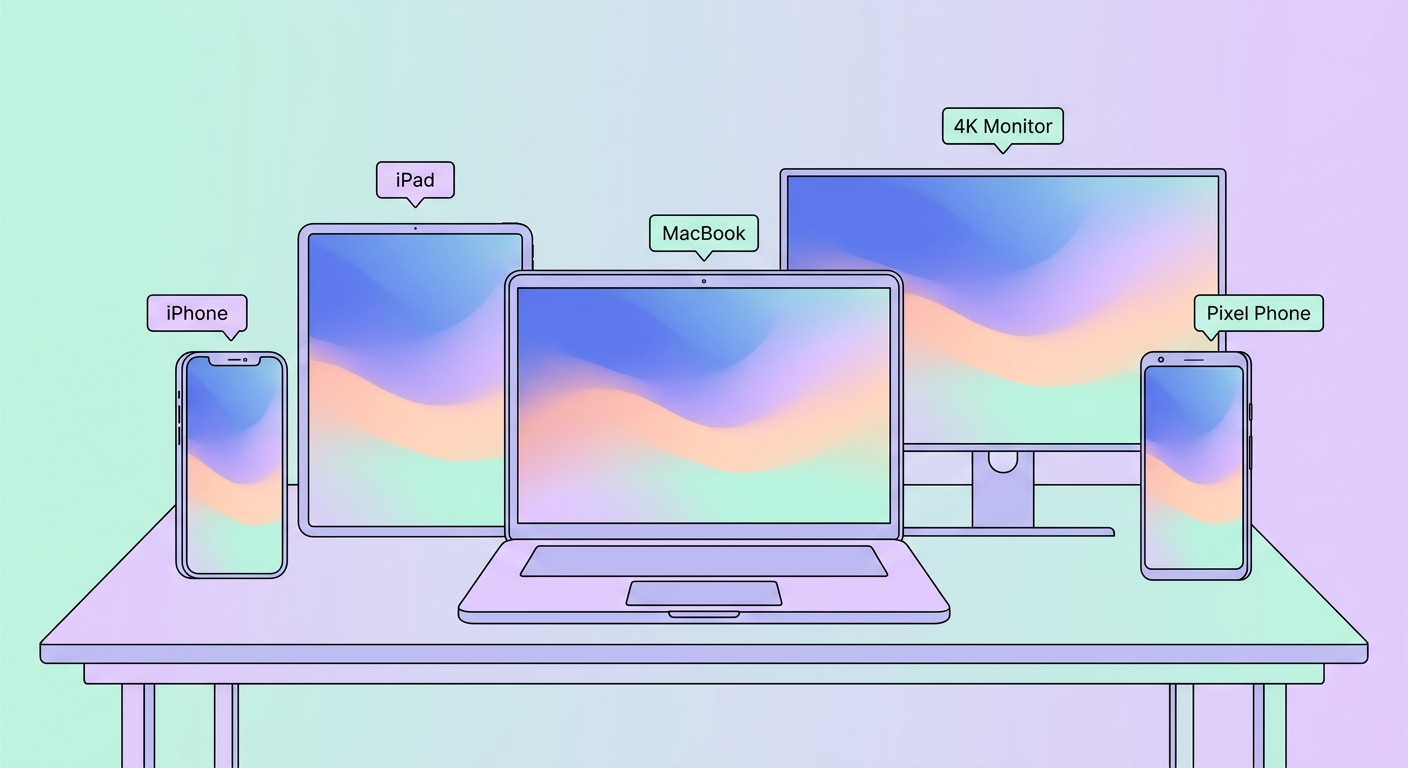
Browse wallpapers by style (aesthetic, anime, cute, dark, minimalist, vintage), by subject (nature, animals, cars, sports, gaming, space), by device (iPhone, Android, MacBook, iPad), or by color. Every wallpaper is hand-picked from our 2M+ image library and pre-sized for fast download.

Looking for a specific resolution? Filter for 1920×1080, 3840×2160 or your phone's exact size — we'll auto-crop and serve the right one. Want more? Premium unlocks 8K downloads, an ad-free experience, AI editing tools and bulk export.

Gym Shadows
⭐ Daily Featured Wallpapers

Gym Shadows

Hand-picked daily — a new featured wallpaper every 24 hours.

View & Download → See all past daily picks

Trending Wallpapers Right Now

View all Wallpapers A→Z ›

Wallpapers by Style

Wallpapers by Subject

Wallpapers by Device

Wallpapers by Color

AI Tool AI Wallpaper Generator | Type any idea. Get a custom wallpaper in seconds — auto-sized for any screen.

AI Wallpaper Generator

Type any idea. Get a custom wallpaper in seconds — auto-sized for any screen.

Photorealistic Anime Aesthetic Dark Cartoon Minimalist

AI Tools for Wallpapers

Browse all tools ›
Your wall, generated.
Make yours

Latest Wallpapers

More Latest Wallpapers ›

Wallpaper Guides & Articles

Read all articles ›

Frequently Asked Questions about Wallpapers

Where can I find iPhone-specific wallpapers?

Browse the <a href='/iphone'>iPhone keyword</a> page or filter the search box (top of every page) by type. Wallpapers tagged <em>iphone</em> or <em>mobile</em> are sized portrait by default.

How do I make a live wallpaper?

<p>On Wallpapers.com it takes 3 clicks. Open any wallpaper you like (e.g. on /wallpapers/), tap the <strong>Make Live Wallpaper</strong> button under the download buttons, then confirm. We render a 4-second parallax loop in ~90 seconds and give you back an MP4 (Android) plus an iOS Live Photo bundle… Read full answer

Can I make a live wallpaper from my own photo?

<p>Not yet on Wallpapers.com. Our Live Wallpaper Maker only operates on wallpapers we already host — this keeps AI compute focused on art that's already proven to be a great phone wallpaper (correct aspect ratio, high resolution, good composition).</p><p>If you want a live wallpaper from a personal … Read full answer

Is Wallpapers.com free?

Yes for the full library in standard sizes. Premium ($3.99/month or $29.99/year) adds 5K and 8K downloads, removes ads, and unlocks ZIP-of-favorites.

Do contributors get paid?

Top contributors enter our revenue-share program (50% of Premium revenue attributed to your wallpaper). Standard contributors earn community recognition + featured placement.

📸 Become a Wallpapers.com Creator

Share your photography or AI art with millions of visitors. Get featured, build your portfolio, and earn Premium credits.

  • Free creator profile + custom URL
  • Boosted exposure on relevant keyword pages
  • Earn credits on every download
Start Contributing →

⭐ Premium — Unlock Everything

Skip every limit. Get the largest sizes, faster downloads, AI tools, and an ad-free experience.

  • 8K wallpapers + bulk download
  • Ad-free across the entire site
  • All AI editing tools unlocked
  • 7-day free trial — cancel anytime
Try Free for 7 Days →

About wallpapers — a brief history and format guide

The word "wallpaper" used to mean physical wall coverings; the digital version — the image that fills your desktop or phone screen — borrowed the term in the late 1980s. Apple's Mac System 1 (1984) shipped with a black-and-white checkerboard background, and Microsoft made "wallpaper" a personalization feature in Windows 3.0 (1990). Since then it has become one of the most-customised parts of any device.

Common formats for wallpapers

Modern wallpapers are saved as JPG (best file-size for photographs), PNG (lossless, supports transparency for layered desktops), or HEIC (Apple's efficient format on iPhone). For ultra-wide and 8K Ultra HD downloads you usually want JPG at quality 90+ to balance fidelity and size. AVIF and WebP are slowly replacing JPG on the web but are not yet supported by every wallpaper manager.

Choosing the right resolution

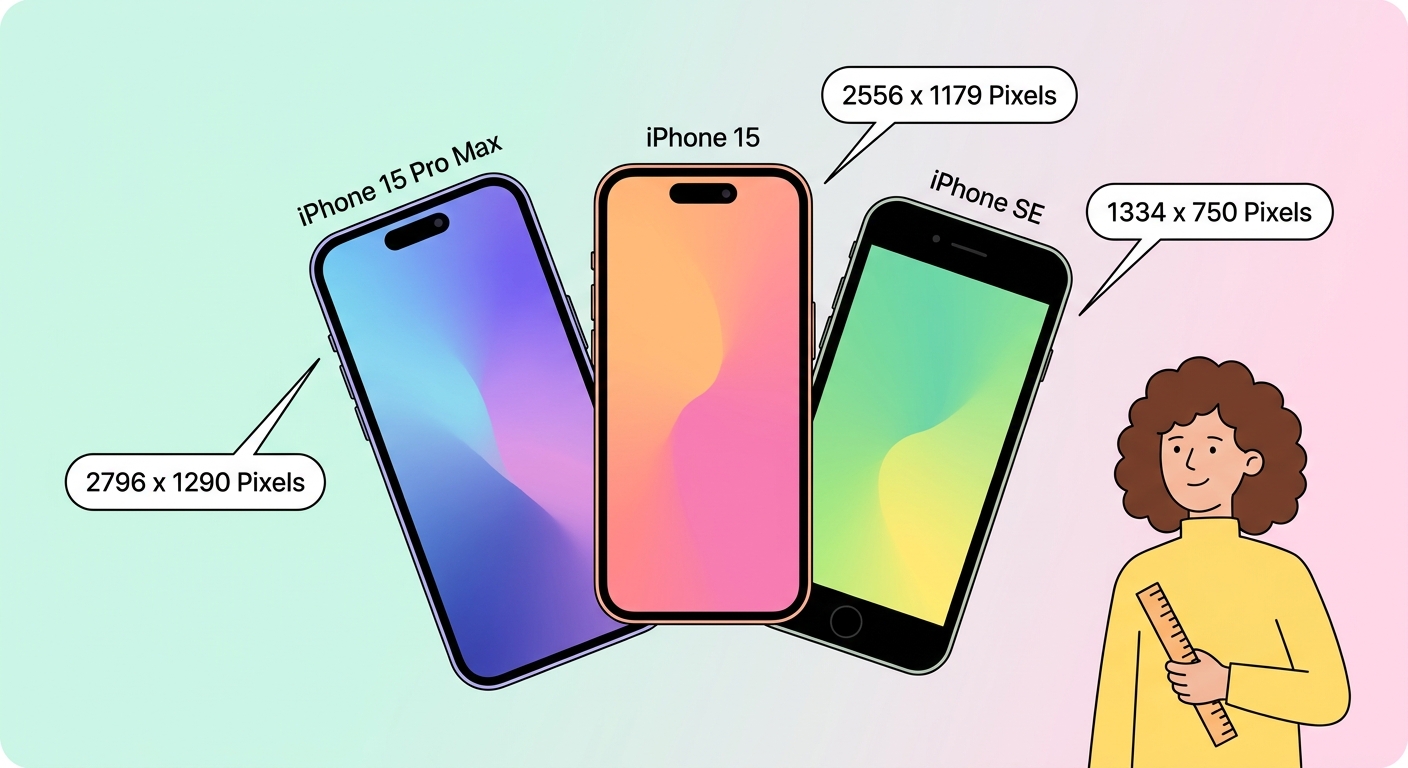
Every device has a native pixel grid: a 6.1" iPhone is 1170 × 2532, a 13" MacBook Air is 2560 × 1664, a 32" 4K monitor is 3840 × 2160. Picking a wallpaper at — or above — the native grid avoids visible scaling. Our Wallpaper Resizer has presets for every Apple, Samsung, Google and Microsoft device released in the last five years; pick a preset, drop your image, get a perfectly-cropped output.

Free wallpapers — where to find them and what to use

Beyond browsing our 1.5M+ wallpaper library, free wallpapers come from several legitimate sources: official OS-bundled defaults, brand-released bundles, user-submitted libraries, and AI-generated art. When using user-uploaded content always check the license; our Creator program only accepts uploads with a clear redistribution license. If you want something truly unique, try the AI Wallpaper Generator — it produces a brand-new image from your prompt in any aspect ratio.





